Saturday, June 27, 2009
Thing 20
YouTube is a great tool. There are videos on almost every subject you can think of. I use it all the time to view historical videos. I chose We Didn't Start the Fire! because as you listen to the words of Billy Joel's great song, the pictures in this particular video tell the story of the important events in history since 1949. I might have chosen some different pictures, but overall, I thought this video was well done. YouTube is a great addition to your library because with a simple search you can find what you need and add it to a playlist ready to show to students.


Thing 19
I am a member of a few online communities and I check on them when I have time. There are many interesting blogs on these sites and I will probably continue to check Teacher Pop and College 2.0 after I graduate and get my own classroom. The latest trends, ideas and projects can be located easily on these two websites and will serve as a source of inspiration that I am sure I will definitely need. I use GoodReads to see what others think about a book I am going to read and to leave my opinion of a book. I explored Gather and may join the network in the future.
Web 2.0 Tools to Inspire
Check out this SlideShare Presentation:
Web 2.0 Tools to Inspire
View more presentations from tippydawn.
Thing 18
This one was easy for me. I have a FaceBook account already, and many of my current and former professors are on my friends list. Teachers could use Facebook to find other teachers and share ideas, recommend websites, provide advice and almost anything else you can think of. An example of a lesson in social networking for students could be designed using FaceBook's friend search option as a web 2.0 tool. I think teachers must be very careful when allowing students access to FaceBook as a lesson to ensure the students are doing what they were instructed to do.
thing 17
I love this site. Having everything in one place is very handy. I really like the way Delicious puts your favorite bookmarks on a toolbar. Teachers can use this in the classroom as a time saving tool. You are just one click away from the site you want your students to view. Delicious is a real time saver and it allowed me to clean up my bookmarks list. There are links to other blogs and websites which I will use as an aid to creating some lesson plans of my own. Reading the links of bookmarks that get a lot of traffic is very useful; if you are having a problem or just need some ideas, the solution will be on a link in Delicious. Creating a Delicious badge is very easy.
thing 16
I chose the Earth-light theme for my iGoogle page and I will probably keep it for a while. I like the way it looks. I added a calendar viewer and a to do list gadget to my page. I embedded both gadgets on my blog. I created a to do list using TaDa and placed that link in my blog sidebar. All these things are very easy to do, just click and follow the instructions. Both the calendar and the to do list are things I will use at home and at school. If I don't write down what I need to do and when I need to do it, then I forget to do whatever it might have been. So both items will be very useful. I recommend both the calendar and the to do list to anyone who is as busy as we are. Organization is half the battle and these tools help organize your time and provide a visual aid so that you know exactly what to do and when to do it. I tried other applications but I chose Google because I use iGoogle as my homepage and it is more convenient for me. I don't think there is any kind of gadget a person could need that isn't provided by Google. I did discover that although you can embed Google's to do list on the blog page, it doesn't save your list. With TaDa you have to click the link, but the list is you shared is there when someone clicks the link.
Thing 15
Lori's wiki Home - Lori's wiki
Shared via AddThis
Creating a wiki using WetPaint is really easy. I have never done this before, but it is fun to experiment with. Students can learn technology and have fun doing it. Wikis could be used as a class project or done as individual assignments, either way there are numerous ways to put educational content or projects the students have already completed on their wikis.
Shared via AddThis
Creating a wiki using WetPaint is really easy. I have never done this before, but it is fun to experiment with. Students can learn technology and have fun doing it. Wikis could be used as a class project or done as individual assignments, either way there are numerous ways to put educational content or projects the students have already completed on their wikis.
Wednesday, June 24, 2009

Missed presenting Website of the day
Unfortunately I had to miss presenting my website, so I thought I would post it here. I thought this site was really cool and the global collaboration is awesome. So here is the link: http://www.123techs4me.com/global.cfm
This is another website that I found while searching through the links: http://scratch.mit.edu/
This is another website that I found while searching through the links: http://scratch.mit.edu/
Thing 14
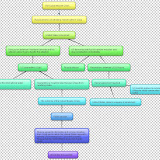
I really like this new technology. Once I figured out how to use the tools (which was pretty easy), I created my very first flowchart using Gliffy. Students will love creating flowcharts with Gliffy or similar programs. Instead of being a chore for students, like me, who are not artistic, this is fun. Gliffy works on the same principal as the drawing tools in Office. However, with Gliffy you can collaborate with other people on the same page. You only need to add your partner's email address. I signed up for Bubbl.us 2.0 and I am getting ready to try a mindmap. I posted my very simple flowchart at the bottom of my page. As an aspiring history teacher, I believe that flowcharts provide a tool that allows the students to see the timeline of events, instead of just reading about them. I think that flowcharts can provide my students with a better understanding of historical events in a format that will remain in their brain, especially if they create the flowcharts.
Sunday, June 21, 2009
Thing 13
This is my first attempt at using Zoho Writer. It seems similar to Office programs that I have used. That this writer is online is great. the bookmarklet seems to be totally cool, it lets you post content from webpages into your document.
Thing 12
My first notebook
Continue working on Webquest and 23 things.
This is my first entry into my Google notebook. This is very handy for a to do list or documents you might want to create. The notebook links to Googledocs so it is very versatile. I already had an iGoogle page and I created a Picasa album which is in the blog sidebar. This gadgets are fun to try out and most of them are useful. They are all easy to use and understand.
There is a collage option in Picasa which students could use to make a collage of pictures for any kind of project. The Google notebook and Googledocs could come in handy for the students to leave reminders and to do lists for themselves, if they are allowed to use these on the internet. If not, then they could do the same kind of things at home.
Continue working on Webquest and 23 things.
This is my first entry into my Google notebook. This is very handy for a to do list or documents you might want to create. The notebook links to Googledocs so it is very versatile. I already had an iGoogle page and I created a Picasa album which is in the blog sidebar. This gadgets are fun to try out and most of them are useful. They are all easy to use and understand.
There is a collage option in Picasa which students could use to make a collage of pictures for any kind of project. The Google notebook and Googledocs could come in handy for the students to leave reminders and to do lists for themselves, if they are allowed to use these on the internet. If not, then they could do the same kind of things at home.
Subscribe to:
Posts (Atom)
My favorite collage
 |
| From Collages |