PBS Teachers | Resources For The Classroom
Shared via AddThis
Wednesday, July 1, 2009


Scavenger Hunt
Finally finished my scavenger hunt. I am hoping I did what I was supposed to do. Worked hard and took me until about midnight to finish. I hope everyone had an easier time than I did. Let me know.
Lori's wiki Home - Lori's wiki
Lori's wiki Home - Lori's wiki
Shared via AddThis
This is my first attempt at my own wiki. I am not sure what you are supposed to post, so I posted work from 3040 and some pix.
Shared via AddThis
This is my first attempt at my own wiki. I am not sure what you are supposed to post, so I posted work from 3040 and some pix.
Sunday, June 28, 2009
One more thing
I must say that I have learned so much from doing this assignment. I thought that I was pretty computer literate, but there is literate and then there is Literate. I had fun playing with Flickr and Animoto. I love my blog page and plan to continue using it. Delicious is great, I have organized my bookmarks and now it so much easier to find what I am looking for. I will also continue to keep up with new technologies by reading Learning 2.1s feed. TeacherPop and College 2.0 are great sites to keep up with anything new and it is also a great support system. I am finally ready to begin my journey into the world of teaching.
Thing 23
Learning 2.0 was designed and developed for use by Helene Bowers loosely based on Stephen Abrams 43 things article. I put a link to the Creative Commons license page. I will use this a lot because sometimes in history useful publications are no longer in print, but you can use a portion of the publication without copyright infringement. Making sure to give credit to the author is a no brainer, but children must be taught about plagiarism before they can be expected to know what it is. Careful, in-depth explanations must come from us, so that our students clearly understand the lines that they must not cross.
Thing 22
I think podcasting is great if you know how to do it. For some reason I just can't get mine to upload to LiveText intact. I listened to several podcasts on, you guessed it, history. I subscribed to the Voices on Antisemitism podcast from the United States Holocaust Memorial Museum. Every other week they send a new podcast about the experiences of people who lived through that terrible time in world history. Justice Ginsburg was interviewed for this series and she reflects on her great good fortune to have been born in the United States. I will make a point of listening to this subscription because what the horror and terror that was visited on the people of the Holocaust must never happen again. So we must not allow our children to forget. If this topic interests you the link to the museum's site is http://www.ushmm.org/museum/exhibit/focus/antisemitism/voices/transcript/index.php?content=20061109
Saturday, June 27, 2009
Thing 20
YouTube is a great tool. There are videos on almost every subject you can think of. I use it all the time to view historical videos. I chose We Didn't Start the Fire! because as you listen to the words of Billy Joel's great song, the pictures in this particular video tell the story of the important events in history since 1949. I might have chosen some different pictures, but overall, I thought this video was well done. YouTube is a great addition to your library because with a simple search you can find what you need and add it to a playlist ready to show to students.
Thing 19
I am a member of a few online communities and I check on them when I have time. There are many interesting blogs on these sites and I will probably continue to check Teacher Pop and College 2.0 after I graduate and get my own classroom. The latest trends, ideas and projects can be located easily on these two websites and will serve as a source of inspiration that I am sure I will definitely need. I use GoodReads to see what others think about a book I am going to read and to leave my opinion of a book. I explored Gather and may join the network in the future.
Web 2.0 Tools to Inspire
Check out this SlideShare Presentation:
Web 2.0 Tools to Inspire
View more presentations from tippydawn.
Thing 18
This one was easy for me. I have a FaceBook account already, and many of my current and former professors are on my friends list. Teachers could use Facebook to find other teachers and share ideas, recommend websites, provide advice and almost anything else you can think of. An example of a lesson in social networking for students could be designed using FaceBook's friend search option as a web 2.0 tool. I think teachers must be very careful when allowing students access to FaceBook as a lesson to ensure the students are doing what they were instructed to do.
thing 17
I love this site. Having everything in one place is very handy. I really like the way Delicious puts your favorite bookmarks on a toolbar. Teachers can use this in the classroom as a time saving tool. You are just one click away from the site you want your students to view. Delicious is a real time saver and it allowed me to clean up my bookmarks list. There are links to other blogs and websites which I will use as an aid to creating some lesson plans of my own. Reading the links of bookmarks that get a lot of traffic is very useful; if you are having a problem or just need some ideas, the solution will be on a link in Delicious. Creating a Delicious badge is very easy.
thing 16
I chose the Earth-light theme for my iGoogle page and I will probably keep it for a while. I like the way it looks. I added a calendar viewer and a to do list gadget to my page. I embedded both gadgets on my blog. I created a to do list using TaDa and placed that link in my blog sidebar. All these things are very easy to do, just click and follow the instructions. Both the calendar and the to do list are things I will use at home and at school. If I don't write down what I need to do and when I need to do it, then I forget to do whatever it might have been. So both items will be very useful. I recommend both the calendar and the to do list to anyone who is as busy as we are. Organization is half the battle and these tools help organize your time and provide a visual aid so that you know exactly what to do and when to do it. I tried other applications but I chose Google because I use iGoogle as my homepage and it is more convenient for me. I don't think there is any kind of gadget a person could need that isn't provided by Google. I did discover that although you can embed Google's to do list on the blog page, it doesn't save your list. With TaDa you have to click the link, but the list is you shared is there when someone clicks the link.
Thing 15
Lori's wiki Home - Lori's wiki
Shared via AddThis
Creating a wiki using WetPaint is really easy. I have never done this before, but it is fun to experiment with. Students can learn technology and have fun doing it. Wikis could be used as a class project or done as individual assignments, either way there are numerous ways to put educational content or projects the students have already completed on their wikis.
Shared via AddThis
Creating a wiki using WetPaint is really easy. I have never done this before, but it is fun to experiment with. Students can learn technology and have fun doing it. Wikis could be used as a class project or done as individual assignments, either way there are numerous ways to put educational content or projects the students have already completed on their wikis.
Wednesday, June 24, 2009

Missed presenting Website of the day
Unfortunately I had to miss presenting my website, so I thought I would post it here. I thought this site was really cool and the global collaboration is awesome. So here is the link: http://www.123techs4me.com/global.cfm
This is another website that I found while searching through the links: http://scratch.mit.edu/
This is another website that I found while searching through the links: http://scratch.mit.edu/
Thing 14
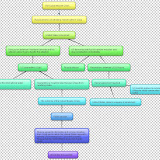
I really like this new technology. Once I figured out how to use the tools (which was pretty easy), I created my very first flowchart using Gliffy. Students will love creating flowcharts with Gliffy or similar programs. Instead of being a chore for students, like me, who are not artistic, this is fun. Gliffy works on the same principal as the drawing tools in Office. However, with Gliffy you can collaborate with other people on the same page. You only need to add your partner's email address. I signed up for Bubbl.us 2.0 and I am getting ready to try a mindmap. I posted my very simple flowchart at the bottom of my page. As an aspiring history teacher, I believe that flowcharts provide a tool that allows the students to see the timeline of events, instead of just reading about them. I think that flowcharts can provide my students with a better understanding of historical events in a format that will remain in their brain, especially if they create the flowcharts.
Sunday, June 21, 2009
Thing 13
This is my first attempt at using Zoho Writer. It seems similar to Office programs that I have used. That this writer is online is great. the bookmarklet seems to be totally cool, it lets you post content from webpages into your document.
Thing 12
My first notebook
Continue working on Webquest and 23 things.
This is my first entry into my Google notebook. This is very handy for a to do list or documents you might want to create. The notebook links to Googledocs so it is very versatile. I already had an iGoogle page and I created a Picasa album which is in the blog sidebar. This gadgets are fun to try out and most of them are useful. They are all easy to use and understand.
There is a collage option in Picasa which students could use to make a collage of pictures for any kind of project. The Google notebook and Googledocs could come in handy for the students to leave reminders and to do lists for themselves, if they are allowed to use these on the internet. If not, then they could do the same kind of things at home.
Continue working on Webquest and 23 things.
This is my first entry into my Google notebook. This is very handy for a to do list or documents you might want to create. The notebook links to Googledocs so it is very versatile. I already had an iGoogle page and I created a Picasa album which is in the blog sidebar. This gadgets are fun to try out and most of them are useful. They are all easy to use and understand.
There is a collage option in Picasa which students could use to make a collage of pictures for any kind of project. The Google notebook and Googledocs could come in handy for the students to leave reminders and to do lists for themselves, if they are allowed to use these on the internet. If not, then they could do the same kind of things at home.
Saturday, June 20, 2009
Thing 11
Google is always the easiest to understand and use. I already subscribe to several blogs, but I found a new one called Voicethread-Computers and Writing 2009. This blog was created by Joe Wood. This blog explains how to create voice threads and it is pretty neat. You can find this blog in my shared items link if you want to look at it. I also clicked on links in blogs that I already subscribe to, to find other good blogs. Cool Cat Teacher is really good with providing links to other useful blogs. I think I successfully managed to place the RSS icon in my url.
Friday, June 19, 2009
Teacher Blogs Showcase: Teacher-bloggers share their interests and display their various skills and hobbies! - Teachers.Net Gazette
This is a cool site. They will send newsletters to your email and there are all kinds of articles and suggestions. They offer lesson plans, project ideas and lots more.
Teacher Blogs Showcase: Teacher-bloggers share their interests and display their various skills and hobbies! - Teachers.Net Gazette
Shared via AddThis
Teacher Blogs Showcase: Teacher-bloggers share their interests and display their various skills and hobbies! - Teachers.Net Gazette
Shared via AddThis
Thing 10
I set up the feeder and created a public page with no trouble at all. Check my blog, the link is on the sidebar. Teachers could use this to keep up with their favorite educational blogs and to post their own ideas. Communication is a very useful and, I would say, essential part of being a teacher and with this RSS feed you can keep up to date with the very latest technology.
I was already a subscriber to some educational blog sites and Google Reader puts them all in the same place. You can also put them on iGoogle which is more compact and there they are right at your fingertips.
I was already a subscriber to some educational blog sites and Google Reader puts them all in the same place. You can also put them on iGoogle which is more compact and there they are right at your fingertips.
Wednesday, June 17, 2009
Thing 9
I used the comic strip generator. But I selected a magazine cover instead. It was very simple to do and easy to post on your blog. Students will have fun with this tool and can create comic strips of lessons, which will reinforce their learning. I really like this tool, the possibilities for using it in a classroom setting are only limited by your imagination. Just click on the magazine cover and it will take you to the Imageshack site. The code it shows is mine, but there are links to the site at the bottom of the page. The site provides free image hosting, but you can subscribe if you want access to more features for $8.00 a month.
Thing 8
I created a mosaic of my digital pictures using zumyn mosaic creator. The process is easy and so was putting on my blog page. I had a little trouble placing it in the right place, but I finally discovered that placing at the bottom worked best.
Students would have a great time creating projects using third party tools. This is great for home use as well. I created the mosaic and saved it as a jpeg file and now I can print it as a picture to frame. Like Zumyn states these would make a very creative gift.
A mosaic made from historical pictures would be an ideal project for my future students. I plan to use this when I have my own class.
Students would have a great time creating projects using third party tools. This is great for home use as well. I created the mosaic and saved it as a jpeg file and now I can print it as a picture to frame. Like Zumyn states these would make a very creative gift.
A mosaic made from historical pictures would be an ideal project for my future students. I plan to use this when I have my own class.
thing 7
My husband, Junior, and me at Cumberland Falls, Ky. I have joined Flickr and uploaded some of my photos. This is an easy site to navigate and it's fun. I created my own url for looking at my pictures and now I am going to try to figure out what photo mashing is.
Things 5 & 6
School 2.0 offers the opportunity for teachers to open many new avenues for their students education. Discussions between teachers of different nationalities are possible and the global educational door is opened. Learning what and how students of other countries are learning is exciting to me and I think that my students would be interested and excited to be involved in a learning project with a class from across the world. School 2.0 and Web 2.0 tools help to make this possibility a reality. Schools in the future will benefit as technology progresses. These tools are beneficial to educators, students and their parents. Parents can be as involved with their child's ongoing projects as they want to be.
I joined wetpaint from our list of Web 2.0 tools and installed a wiki on the sidebar of my blog. This site has everything. You can blog, chat, join educational communities and link it to your facebook page if you want. It is very easy to sign up and it is free. There is a video tab and you can add your own video or view videos from all over the world. Click on the tabs at the top of the wiki and you can get an idea of how wetpaint works and what it offers.
I especially like the videos tab because it offers lots of choices. You will need to be selective with how you allow your students to use the site, but for classroom viewing it is a useful tool. For example, I want to teach history and there is an excellent video of the Bill of Rights. You can also create your own website. This could be used for a class project for almost any age group. Wetpaint has excellent instructions, so creating the site is easy.
I joined wetpaint from our list of Web 2.0 tools and installed a wiki on the sidebar of my blog. This site has everything. You can blog, chat, join educational communities and link it to your facebook page if you want. It is very easy to sign up and it is free. There is a video tab and you can add your own video or view videos from all over the world. Click on the tabs at the top of the wiki and you can get an idea of how wetpaint works and what it offers.
I especially like the videos tab because it offers lots of choices. You will need to be selective with how you allow your students to use the site, but for classroom viewing it is a useful tool. For example, I want to teach history and there is an excellent video of the Bill of Rights. You can also create your own website. This could be used for a class project for almost any age group. Wetpaint has excellent instructions, so creating the site is easy.
Monday, June 15, 2009
Thing #4
I read the material provided and commented on five of my classmates blogs. There were some really helpful sites on their blogs. I also subscribed to Teachers.net, The Social Studies Teacher's blog and Cool Cat teachers. These blogs are filled with useful information and lots of support from other teachers. I simply googled teacher blogs and find more than I could possibly read.
I chose to read Shannon's, Abbey's, David's, Lori Gill's and Jeff's blogs. I chose them at random, because I don't really know anyone in our class. But I was glad that I did, because they posted some insights and websites.
Making well thought out comments on a blog allows other people to read your ideas and add their input. It is also important when commenting on a blog to make sure your response is well thought out and not just "I agree with you."
I complimented them on their choice of website to post and I really looked at them. They also had some interesting thoughts on how blogging could be used in a classroom setting.
I chose to read Shannon's, Abbey's, David's, Lori Gill's and Jeff's blogs. I chose them at random, because I don't really know anyone in our class. But I was glad that I did, because they posted some insights and websites.
Making well thought out comments on a blog allows other people to read your ideas and add their input. It is also important when commenting on a blog to make sure your response is well thought out and not just "I agree with you."
I complimented them on their choice of website to post and I really looked at them. They also had some interesting thoughts on how blogging could be used in a classroom setting.
Saturday, June 13, 2009
Things 1,2, &3
I have successfully completed three of the twenty-three things in this assignment. I have created my blog, created my avatar, registered my blog and watched the Lifelong Learning Habits tutorial. I thought that the tutorial was great.
My biggest obstacle in deciding to become a teacher is my age. I thought to myself, are people going to think I am crazy because I want to become a teacher at age fifty. I wondered if I would be able to get a teaching position when I finished my coursework. I still wonder. But I have decided to pursue a career in teaching anyway. I figure that the best outcome will be that a school will want to hire me and the worst outcome will be that no one will hire me because of my age. In any event, I will have learned many new things that I did not know before.
I love to learn. I was always that kid who actually enjoyed school, always completed her homework and made good grades. Unlike many of my fellow non-traditional students, I don't have a previous career. I worked in a fast food restaurant for twenty years. So this is a new journey for me. So far, so good.
I began my college career with the end in mind, but I failed to think far enough to the end. I will have completed my major and my first minor programs by this fall. Then it occurred to me that I needed to be able to use the degree I was earning. I talked to one of my history professors and decided to add an education minor. I am really enjoying the experience of learning to be a teacher. I am gradually losing my fear of public speaking, which is a plus. The hardest thing for me to do is to find time to play. I take classes all the year long and so I have very little time to play. I am going to work on that.
My biggest obstacle in deciding to become a teacher is my age. I thought to myself, are people going to think I am crazy because I want to become a teacher at age fifty. I wondered if I would be able to get a teaching position when I finished my coursework. I still wonder. But I have decided to pursue a career in teaching anyway. I figure that the best outcome will be that a school will want to hire me and the worst outcome will be that no one will hire me because of my age. In any event, I will have learned many new things that I did not know before.
I love to learn. I was always that kid who actually enjoyed school, always completed her homework and made good grades. Unlike many of my fellow non-traditional students, I don't have a previous career. I worked in a fast food restaurant for twenty years. So this is a new journey for me. So far, so good.
I began my college career with the end in mind, but I failed to think far enough to the end. I will have completed my major and my first minor programs by this fall. Then it occurred to me that I needed to be able to use the degree I was earning. I talked to one of my history professors and decided to add an education minor. I am really enjoying the experience of learning to be a teacher. I am gradually losing my fear of public speaking, which is a plus. The hardest thing for me to do is to find time to play. I take classes all the year long and so I have very little time to play. I am going to work on that.
Subscribe to:
Posts (Atom)
My favorite collage
 |
| From Collages |